Change is risky: it must be managed well, not avoided
Recent high-profile outages have left many nervous about the causes of these outages. They have also left many organizations nervous about changing their critical systems. Those waiting for canceled flights to be rescheduled or watching their Outlook client struggle to connect and download e-mail understand that changes to critical systems, like technology upgrades, can go really wrong. As examples, a simple fiber-optic conversion on a single switch or a few commands typed in the attempt to improve system capacity can ruin the day for millions of people. On November 15, 2026, the New York Times published an analysis in an article entitled “When Tech ‘Upgrades’ Go Awry” highlighting a couple of recent significant outages relating to technology upgrades. That article prompted much self-reflection at DBA Zone. We’re often in the middle of technology migrations for our customers and we work hard to prevent such outages.
Whether talking about buying a new house or applying the latest security patch to your environment, change is always a risk. There is no getting around that basic premise and it’s the reason so many people are opposed to it. However, in all cases, managing that risk helps navigate you to bigger and better things!
At DBA Zone, we manage technology change for critical data infrastructure for our customers and ourselves all the time, including applying minor patches to migrating whole systems. Customers, especially those very risk-averse, often look at their layered, multi-dependency system and find any change insurmountable. In fact, the opposite is often true – they can’t afford NOT to tackle change head-on.
Successful technology upgrades start with planning
When deciding to upgrade your home, you would never walk up to the first house for sale and immediately buy it. Instead, you would research it – what is the cost versus the value, what does the move cost you on a personal level, what do others that live in the same neighborhood say about their experiences, etc.
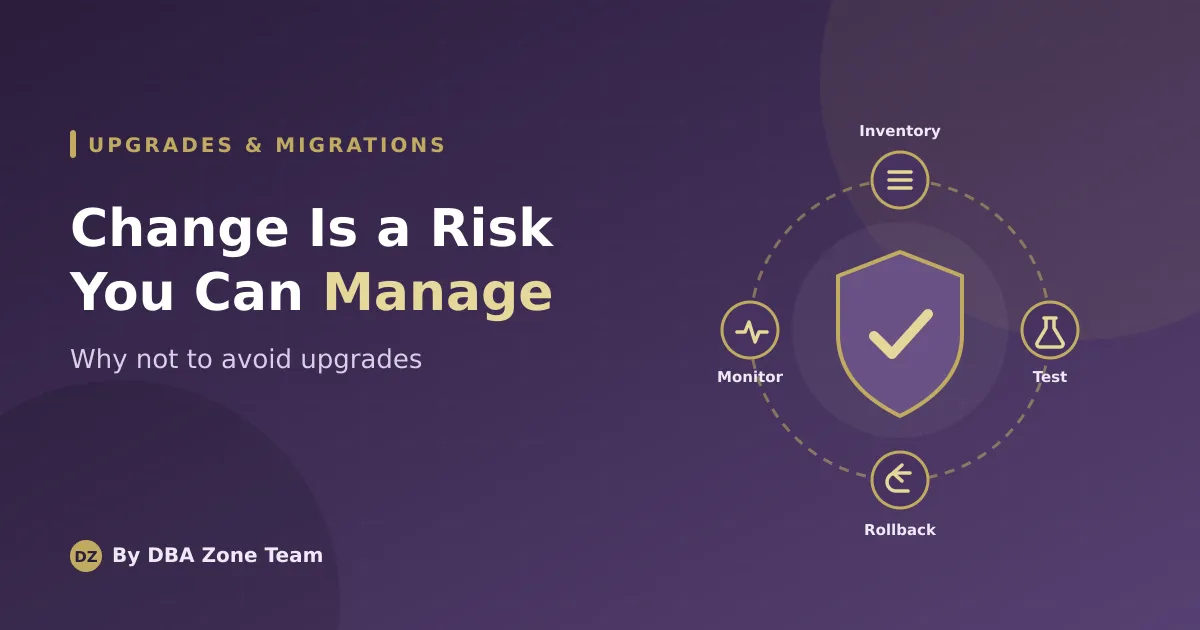
Similarly, we take that approach when a client comes to us with a migration project. The first step is to inventory and document everything. Any piece of software, scheduled job, random script on someone’s desktop, etc., all get included in the overall scope of the project. In fact, just looking into a production database and being able to trace back every connection to every machine is a fruitful exercise. Missing details here means a post-migration call from an angry user saying the daily sales report, running on an old machine under their desk, is blank today!
From this investigation, you build a map of all services, vendors, networks, cloud services, external calls, users, etc. It’s critical to discuss this with all of the stakeholders to ensure every piece of the puzzle is accounted for. An upgrade can affect systems beyond the one being changed and getting in front of that now saves you hours of headache later.
Finally, all teams involved need to be included on the discussions around the migration. We typically build out and share a table with all stakeholders contact information, the role they play in the migration, and any special notes about them. This is a critical asset – a quick reference to know who to call if, for instance, a network change is needed or an immediate approval is required for a users last-minute change.
Successful technology upgrades require testing… and re-testing…
Keeping with the house analogy, before buying, you would want to test your commute to work. Perhaps you want to try out the restaurants and browse the stores nearby to get a sense of what living there will be like.
The exact same goes for tech upgrades. Ideally, an entire test environment is built out to perform full regression testing. This would include testing all scripts and processes related, comparing all results to current production, and certifying that the system performs the same pre and post migration. Perhaps most importantly, and something often ignored, is load testing. Often, the importance of load testing the new system is overlooked completely. The system will seem fine with the 4-person QA team validating the system. Then, once 2,000 users get in, the system buckles due to an unexpected execution plan change or missing index.
Just as important as testing the end result is testing the road to get there. Running through the migration multiple times while following your action plan means moving through the process on the day of the cut over both quickly and with confidence. The minor file permission issue or the manual hosts file updates are not a surprise and handled in seconds instead of hours spent tracking down why a certain step won’t work.
A word from the wise: always have a way back
So you have made the house purchase, moved in, and absolutely hate it. Now what? Well, if you were able to plan your purchase like a good systems upgrade, you would just go back to your old house like nothing ever happened.
Of course, that isn’t possible with the home purchase. However, as we plan out your next migration, that’s our goal. Having a well-rehearsed and documented fallback plan eases everyone’s worries. That once-risky migration now becomes a controlled and calculated process that, if issues arise, can be easily backed out of. Ideally, even after the migration, the old environment can be kept in sync and up in parallel so that a fail back is possible days later without any loss.
Post-migration management: where the rubber meets the road
Anytime we perform a migration, we keep the next day clear of meetings and appointments. We ensure that monitoring is hooked up prior to the day of the migration, especially if new systems are being introduced, and enabled immediately after the cut-over. Every single person involved knows how to get a hold of the team here immediately and is asked to contact us about any and all issues, even if it’s not clear if we are involved. Finally, we spend a lot of time watching the system in the hours and days after users get back in. While it’s great to have confidence in the action plan you just executed, it’s still important to be attentive to the new system.
Conclusion
Usually, it isn’t the change that fails; it’s how the change was managed. Outages like the ones in this month’s headlines rarely come down to bad technology alone. They happen when critical systems are changed without enough planning, testing, or a way back.
Standing still isn’t safe either. Unsupported versions, missed security patches, and aging hardware carry their own risks, and those risks grow every year you wait. That’s why even our most risk-averse customers can’t afford NOT to tackle change head-on. They just need to do it carefully.
At DBA Zone, we pride ourselves on having completed countless successful migrations for customers over the years, from minor patches to moving entire systems to new platforms. Whether you’re facing a version upgrade, a move to the cloud, or a migration you’ve been putting off for years, we’ll help you plan it, test it, and keep a safe way back. Reach out to discuss your next move.